
For hotels & banquet venues
Retire the ticket desk.
Stubb puts drink tickets right on guests’ phones. Hosts can issue them in advance or guests can buy them on the spot, then redeem them at the bar with a quick scan. No cash boxes. No paper tickets. No one stuck staffing a desk all night.
- No app download
- Works on low signal
- One settlement entry
Your Vouchers
3 ready to use
Tap a voucher to redeem at the bar.
Beer
Complimentary
Wine
Complimentary
Cocktail
Purchased
The status quo
The ticket desk is the most manual station in the room.
Every ticketed bar still runs on the same three-step routine — and all three steps cost the property money.
01
A staffed desk before the bar even opens
Someone sells tickets, counts a float and answers the same three questions for the whole night — on payroll, for every single event.
02
Two lines for one drink
Guests queue at the desk, then queue again at the bar. Half of them didn't bring cash, and the other half lose the stubs by the second round.
03
Reconciliation by hand at 1 am
Paper stubs counted on a banquet table, a number keyed into the POS, and no reliable way to tell what the host covered versus what guests paid for.
How it works
Three steps, no desk.
The same flow covers a wedding where the couple is paying, a conference bar where guests pay their own way, and everything in between.
- 01
The guest scans at the venue
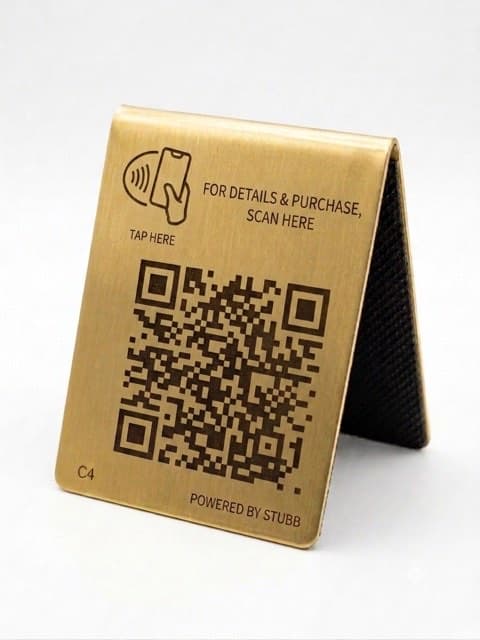
A code on the door card or table tent opens Stubb in the browser. No download, no account, no password — they are in before they reach the bar.
- 02
Tickets live on their phone
Whatever the host allocated is already waiting. Guests can buy more if the event allows it. The vault keeps working when the signal doesn't.
Your Vouchers
3 ready to use
Tap a voucher to redeem at the bar.
🍺Beer
Complimentary
🍷Wine
Complimentary
🍸Cocktail
Purchased
- 03
The bartender scans and pours
One glance at a green screen and a sound, then move on. If the Wi-Fi drops mid-event, redemptions queue on the device and sync on reconnect.
✓Serve: 1 × Beer
2 vouchers remaining
3s
Tap to scan next
Play it through
Run a drink through it yourself.
The actual screens from the guest and bartender apps, wired up to react to each other.
Scan for the bar
Camera app · nothing to install
Point at the guest's QR code — or enter the code manually below.
A card on the table. The camera app opens Stubb in the browser — no download, no account.
Tonight, so far
- Redeemed
- 0
- Host-covered
- 0
- Guest-paid
- 0
- Nothing poured yet.
This is the settlement line forming in real time — the same figures the property reads at the end of the night, split by who paid for what.
The platform
One system, three screens that each do one job.
Guests, bartenders and managers have nothing in common except the event. Each gets a surface built for where they are standing.
For the guest
Bought in two taps, held through the dead zones
The guest surface is a web app, not a download. Tickets are written to the phone itself, so a dead zone between the ballroom and the bar changes nothing.
- Nothing to install and no account required — a code and two taps
- Tickets stay on the device through a lost signal or a closed browser
- The redemption code rotates every 30 seconds, so a screenshot is worthless
- Apple Pay, Google Pay or card when guests are buying their own
Saturday Reception
Add drinks to your vault
- 🎟5× Drink Vouchers$10.00 each1+
- 🎟10× Drink Vouchers$18.00 each+
Apple Pay, Google Pay or card ·
paid to the venue
For the bar
One signal, and the bartender moves on
Built for a loud, dim room and staff who cannot stop to learn software. Scan, see green, pour. The whole interaction is a glance.
- Full-screen green flash and a sound — readable from two metres away
- The guest picks the drink first, so the screen says exactly what to serve
- Redemptions queue locally when the Wi-Fi drops and sync on reconnect
- Un-burn a ticket within the window when a keg blows or a scan misfires
Serve: 1 × Beer
2 vouchers remaining
3s
Tap to scan next
For the property
Set the rules once, watch the night unfold
Configure the event the way your banquet event order already describes it, then watch consumption live instead of waiting for a count at the end.
- Host bar, cash / a-la-carte bar or hybrid — including host-covered plus guest-paid extras
- Per-guest and per-event caps enforced on the server across every funding source
- Printable voucher codes for door cards, VIP comps and sponsor giveaways
- Drinking age derived from the venue's jurisdiction, attested before any ticket lands
Session started
7:00 PM
Elapsed
2h 14m
Inventory cap
500 vouchers
Redeemed this session
356
| SKU | Allocated | Purchased | Redeemed | % consumed |
|---|---|---|---|---|
| Beer | 180 | 40 | 156 | 71% |
| Wine | 120 | 28 | 98 | 66% |
| Cocktail | – | 62 | 44 | 71% |
| Soft Drink | 70 | – | 58 | 83% |
| Total | 370 | 130 | 356 | 71% |
Event formats
It already fits how you sell bars.
Three formats, configured per event — and per session, for properties running two bars on the same night.
Host bar
Host paysThe host covers a set number of drinks per guest. Tickets are issued ahead of the event by email or text, so guests arrive with them already in hand.
Wedding receptions, client dinners, staff parties
Cash / a-la-carte bar
Guest paysNo pre-allocation. Guests scan, pick a bundle and pay on their own phone. Funds settle into the property's own merchant account, not ours.
Conferences, galas, association events
Hybrid
BothThe host covers a base allocation and guests buy extras beyond it. Both sides are tracked separately and reconciled separately at the end.
The format most banquet events actually run
Built for the room
An underground ballroom is the design brief.
Most event software is designed in an office and deployed into a basement. Stubb was specified the other way around.
Low signal
Tickets are stored on the phone and redemptions queue on the bartender's device. The night keeps running while the Wi-Fi doesn't.
Dim light
The guest and bartender surfaces are dark by design, with high-contrast type sized to be read at arm's length in a ballroom at midnight.
Loud room
Every redemption is confirmed by colour, shape and sound together — never colour alone, because nobody can hear a subtle cue over a dance floor.
No training time
Casual staff are handed the device at 18:00. The bar screen is one button and one result, so there is nothing to teach and nothing to get wrong.
Guests a few rounds in
Large tap targets, one action per screen, and no dead ends — every failure state says what to do next instead of showing an error.
Settlement & reporting
The night reconciles itself.
This is the part the F&B manager actually keeps. Every redemption is already counted, attributed and ready to post.
Settlement report
Saturday Reception
Issued
412
Redeemed
356
Outstanding
56
Peak hour
21:00
| Item | Host | Guest paid | Code | Redeemed |
|---|---|---|---|---|
| Beer | 78 | 56 | 8 | 142 |
| House wine | 54 | 30 | 6 | 90 |
| Well spirit | 30 | 18 | 2 | 50 |
| Soft drink | 60 | 12 | 2 | 74 |
| One POS entry | Posted as a single batch | 356 | ||
Illustrative report for a sample event.
One entry in the POS
The whole bar posts as a single batch instead of a hand-counted number somebody guessed at after service.
Funding split three ways
Host-allocated, guest-paid and code-redeemed are tracked separately all night, so the host invoice and the guest revenue never get tangled.
Live while it matters
Watch consumption against the cap during the event, not the morning after. Approaching a limit is visible in time to do something about it.
Exports the back office accepts
CSV and print-ready PDF per event, with the redemption log behind it if anyone asks how a number was reached.
Your numbers, not ours
What does your ticket desk cost?
We don't publish savings claims — we haven't earned them yet. So do the arithmetic yourself: this is only what you spend staffing the desk today.
Annual desk labour, on your assumptions
$40,320
120 events × 2 staff × 6h × $28/h
Every bar you sell drink tickets for
Selling, counting and reconciling
Set-up through end-of-night count
Wage plus burden and gratuity
Desk labour only. It excludes bar throughput, reconciliation time and ticket leakage, which vary too much between properties for us to put a number on.
Security & compliance
Written for the people who review it.
Hotel IT and procurement gate this decision, not the banquet office. These are the answers they ask for first.
No card data touches Stubb
Payments run through Stripe's hosted flow. We store a payment reference and nothing else — there is no card number in our systems to lose.
The venue is the merchant of record
Guest payments settle into the property's own merchant account. Stubb never holds your money and never remits it back to you.
The rules live on the server
Purchases, redemptions, caps and voucher codes are all decided server-side. A tampered phone cannot mint itself a drink.
Properties are isolated
Each operator can reach only their own property's data, enforced on every read and every write — not just hidden in the interface.
Age attestation is auditable
The drinking age comes from the venue's jurisdiction and is attested before any ticket lands, with a timestamped record. Staff still check ID at the bar.
A short, named supply chain
Supabase for data and functions, Vercel for hosting, Stripe for payments, Resend for email. That's the whole list your IT team has to review.
A full security overview, data-flow description and subprocessor list are available for review during procurement.
For event organizers
Running the event, not the venue?
Wedding planners, conference organizers and corporate hosts use the same event setup — through the property, or on their own.
Give every guest their drinks in advance
Upload the guest list, set the allocation, and Stubb sends each person a link. Nobody hands out envelopes of paper stubs at the door.
Cap the night without policing it
Set what you're covering per guest and a hard ceiling for the event. Guests can top up themselves if you allow it — on their card, not yours.
Know what you actually owe
You pay for what was poured, split cleanly from anything guests bought for themselves, with the detail behind every number.
Questions
Straight answers.
Do guests have to download an app?
No. Stubb opens in the phone's browser from a QR code or a link. There is no app store, no install and no password — and no account unless a guest wants one to move their tickets to another device.
What happens when the Wi-Fi drops mid-event?
Both sides keep working. Guest tickets are stored on the phone, and bartender redemptions are written to the device and queued. When connectivity returns, the queue syncs and the totals reconcile. Redemptions that happened before the event closed still count.
Who takes the money?
You do. Guest payments settle into the property's own merchant account through Stripe — the venue is the merchant of record. Stubb is software; it never holds guest funds.
Does this replace our POS?
No, and it doesn't need to talk to it. Stubb runs alongside the POS and produces one settlement batch per event that your team posts as a single entry, with the full redemption log behind it.
What stops someone screenshotting a ticket?
The redemption code rotates on a 30-second window from a seed held on the server, so a screenshot is dead within seconds. Redemptions are also scoped to the event and rejected if the same ticket is scanned twice.
How do you handle drinking age?
The minimum age is derived from the venue's province or state, and the guest attests to it before any ticket enters their vault, with a timestamped record. It is self-attestation, not ID verification — bartenders still check ID at the bar.
Book a demo
See it on one of your own events.
Tell us how your bars run and we'll show you the same night without a ticket desk in it.
Thirty minutes, not a pitch deck
We walk the guest, bar and back-office flow end to end, using an event shaped like one of yours.
Bring the operator
The people who will actually run it — banquet, F&B, or the bar lead — get more out of it than the buyer alone.
We'll tell you what isn't built
Stubb is early. You'll get a straight account of what's shipped, what's next, and what we'd want from a first venue.